CUSTOM EARBUD BRANDING & CMF

Control the product surfaces that carry your brand.

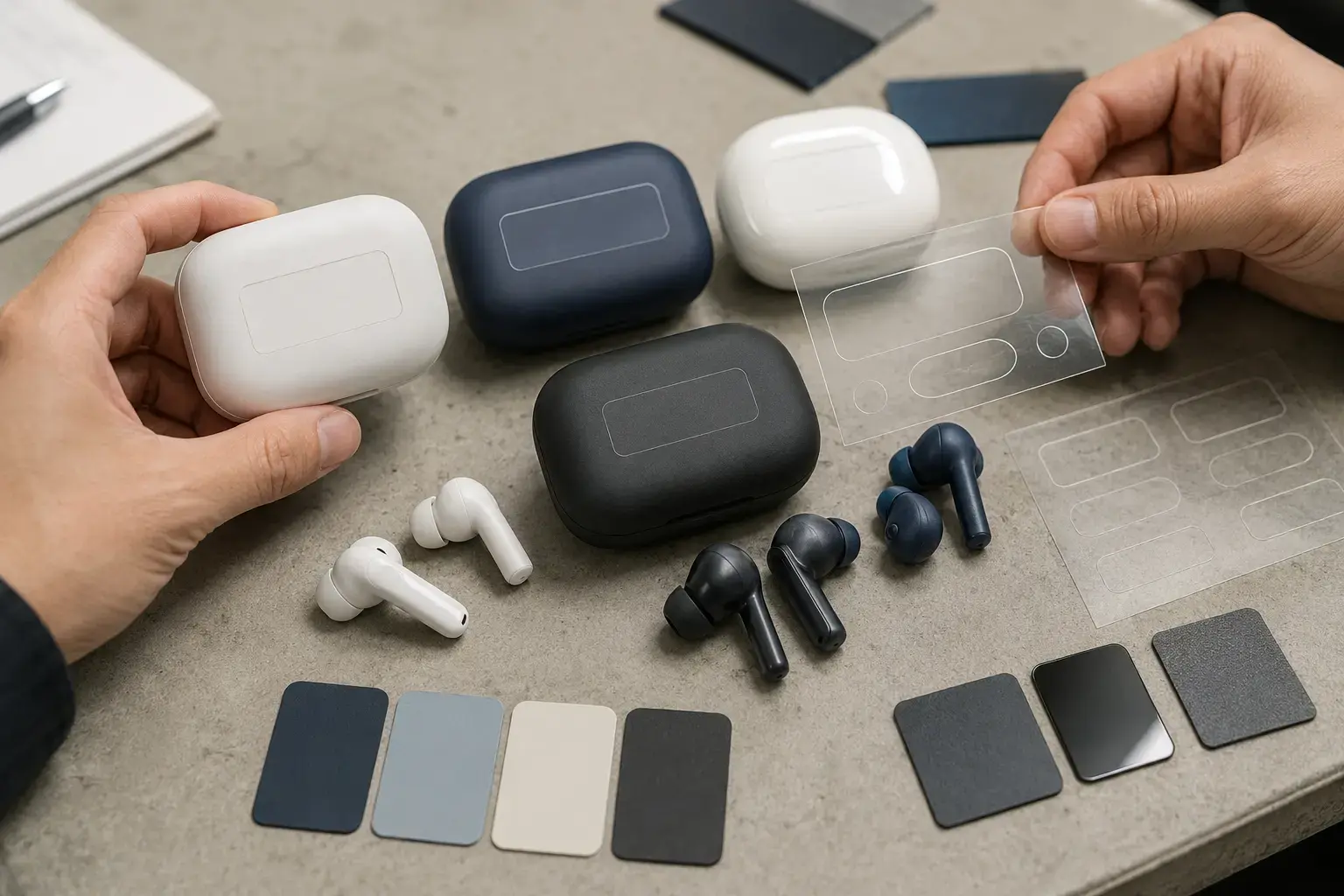
Review earbud and charging-case logo application, color, material and finish against the shortlisted model and commercial program.

Generic earbud and charging-case samples reviewed for blank logo placement, color and matte or gloss surface finish
PROJECT DEFINITION

Confirm the scope on the shortlisted platform.

Branding is approved on a physical product, not only on a screen. Curved surfaces, small print areas, material color and finish can change the visible result. The method and available area are confirmed after the model is selected.

PROJECT RULEAvailability, method, minimum quantity and validation scope are confirmed against the selected model and approved configuration.
WHAT GETS DEFINED

Turn the request into approval items.

Each workstream needs an input, an agreed method and an approval reference.

01

Earbud branding

Review visible area, orientation, contrast and left/right consistency

OUTPUTArtwork layout and physical sample

02

Charging-case branding

Define lid or body placement, opening direction and viewing position

OUTPUTControlled placement reference
03

Color & CMF

Review stock color, project color, material appearance and surface finish

OUTPUTColor or CMF sample approval
04

Application method

Screen or pad printing, laser marking or other model-supported route

OUTPUTMethod confirmed for the selected material
BUYER DECISIONS

Decisions that change the quote or sample route.

Provide what is known and mark open items. The supplier can then separate available options from development work.

01Where the logo should appear during normal use02One-color or multi-color artwork requirement03Pantone, physical sample or approved color reference04Matte, gloss, texture or metallic-look direction05Whether earbud and case colors must match06Durability expectation and intended use environment
APPROVAL ROUTE

Move from requirement to an approved reference.

  1. 1Select product platform
  2. 2Confirm brand area
  3. 3Prepare artwork layout
  4. 4Review color and finish
  5. 5Build physical sample
  6. 6Approve reference
PLATFORM CUSTOMIZATION

Usually reviewed on an existing model.

  • Available print or marking areas
  • Stock or supported project colors
  • Model-compatible surface finish
  • Artwork placement and physical sample
DEVELOPMENT TRIGGER

Requires additional technical review.

  • New molded logo or surface geometry
  • New material or unsupported finish
  • New housing or charging-case tooling
  • Configuration-specific validation beyond the platform route
RFQ INPUTS

Send the files that qualify this scope.

Files may be preliminary for model screening. Production-ready artwork and final market information are required before approval.

Request this customization review
01Vector logo artwork02Brand-use and clear-space rules03Pantone or physical color reference04Preferred logo position05Finish or material references06Quantity, market and required date